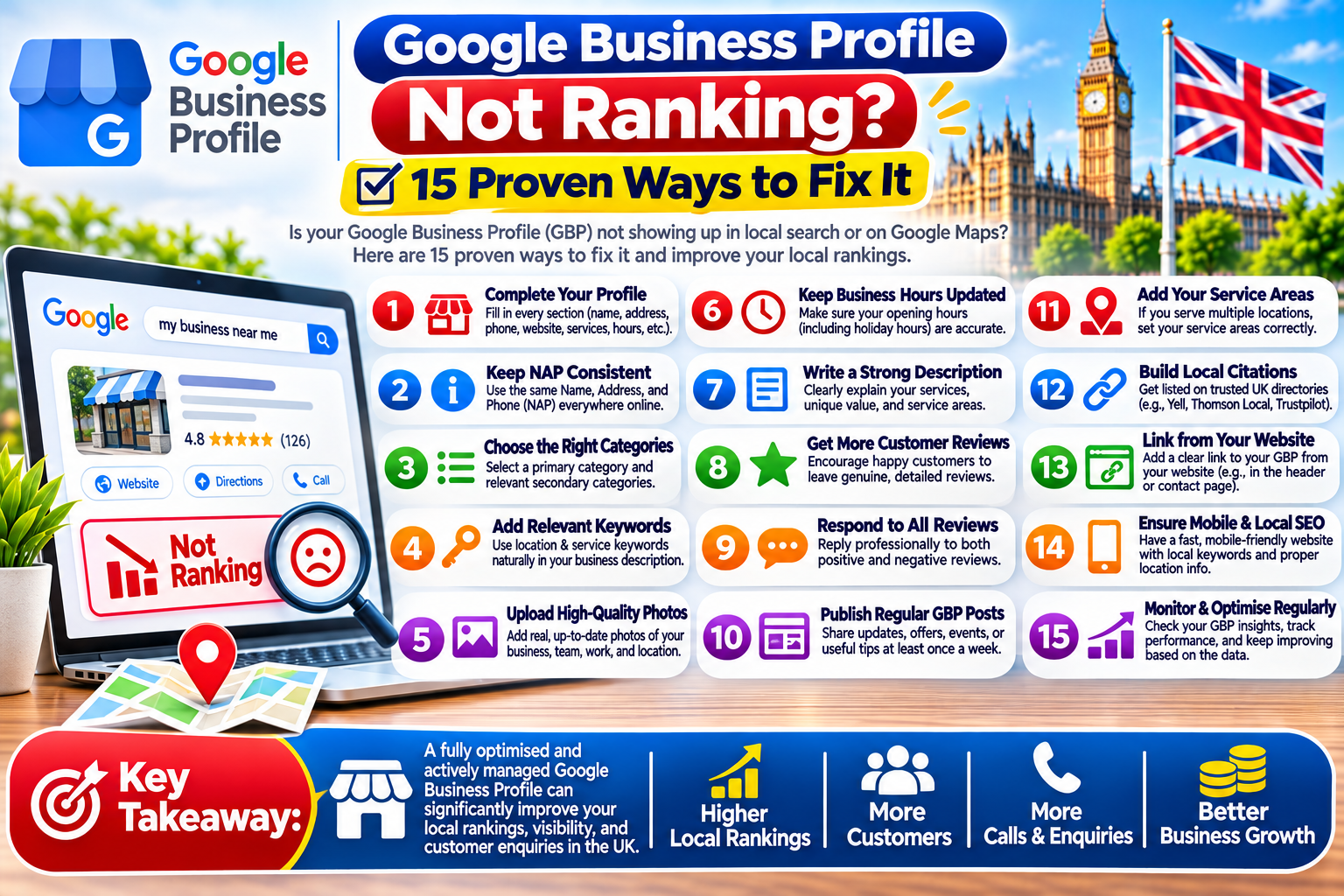
Is your Google Business Profile not ranking when customers search for your business on Google Maps or Google Search? If your business is missing from local search results, appearing below competitors, or receiving fewer calls and enquiries, several factors could be affecting your visibility.
Your Google Business Profile helps potential customers discover your business, check opening hours, read reviews, find directions, and contact you. However, creating a profile alone does not guarantee strong local rankings.
If your Google Business Profile not ranking issue is affecting your business, you need to understand the possible causes and take practical steps to improve local visibility.
In this guide, we explain 15 proven ways to troubleshoot your Google Business Profile, improve your local SEO strategy, and attract more relevant customers.
Why Is Your Google Business Profile Not Ranking?
There is no single reason why a Google Business Profile may struggle to rank. Google primarily considers relevance, distance, and prominence when determining local search results.
Relevance describes how closely your profile matches a search. Distance relates to how far your business is from the searcher or the location mentioned in the search. Prominence reflects how well-known your business is, based on information such as links, reviews, and other signals.
If your Google Business Profile not ranking problem continues, review these common causes:
- Your business profile is incomplete or inaccurate.
- Your profile is unverified or has a verification issue.
- Your business category does not match your services.
- Your business is located far from the searcher.
- Your website has weak local SEO.
- Your profile has few genuine customer reviews.
- Your business information differs across online directories.
- Your profile has been suspended or restricted.
- Your competitors have stronger local visibility.
- Your business is not eligible for the location or service it claims.
Identifying the correct cause is the first step towards improving your local search performance.
15 Ways to Fix Google Business Profile Not Ranking
1. Check Your Google Business Profile Verification
One of the first things to check when your Google Business Profile is not ranking is whether the profile is verified.
Verification helps Google confirm that you are authorised to manage the business. Depending on your business and account, Google may offer different verification methods.
How to check:
- Sign in to the Google account that manages your business.
- Open your Google Business Profile.
- Look for verification instructions or any outstanding verification requirements.
- Complete the verification process using the method Google provides.
- Check for any further notifications or restrictions.
If you have recently verified your profile, allow time for changes to appear. Verification does not guarantee a top position, but resolving verification issues is an important first step.
2. Choose the Correct Primary Business Category
Your primary business category helps Google understand what your business does. An unsuitable category can make your profile less relevant to important customer searches.
For example, a dental clinic should select an appropriate dental category rather than a broad category that does not describe its main service.
To improve your category selection:
- Choose the most accurate primary category available.
- Add relevant secondary categories where appropriate.
- Avoid adding categories for services you do not provide.
- Review your categories when your business offerings change.
If your Google Business Profile not ranking problem affects your main service keywords, review your primary category before making other changes.
3. Complete Every Relevant Profile Section
An incomplete profile may provide customers with less useful information and make it harder for them to understand your services.
Review the available fields and ensure that your profile accurately describes your business.
Include:
- Correct business name.
- Accurate address or service area, where applicable.
- Current phone number and website.
- Appropriate business categories.
- Accurate opening hours.
- Relevant services or products.
- A clear business description.
- Suitable photos and other available information.
Do not add unnecessary keywords or promotional claims to your business name. Your profile should reflect your real-world business identity.
4. Improve Your Local Keyword Strategy
Local keywords help you understand how customers search for services in your area. They can guide the content on your website and help you assess whether your profile matches relevant searches.
For example, a plumber might research phrases such as “emergency plumber in Luton” or “plumbing services near me.”
Use relevant keywords naturally in:
- Website page titles.
- Service pages.
- Location pages, where genuinely useful.
- Headings and website copy.
- Business descriptions where appropriate.
- Blog posts answering local customer questions.
Google Business Profile rankings are not controlled by keyword placement alone. Focus on relevance and useful information rather than repeating keywords unnaturally.
5. Build a Strong Local SEO Website
Your website can support your Google Business Profile by helping search engines understand your business, services, and location.
If your Google Business Profile not ranking issue continues despite having a complete profile, examine your website’s local SEO.
Important improvements include:
- Create clear pages for your main services.
- Display accurate business contact details.
- Make your website mobile-friendly.
- Improve page loading performance.
- Use descriptive page titles and headings.
- Add useful local information.
- Link related service pages logically.
- Ensure important pages can be crawled and indexed.
Avoid creating many nearly identical location pages simply to target different towns. Each location page should provide genuinely useful and distinct information.
6. Get More Genuine Customer Reviews
Customer reviews can influence how people perceive your business and may contribute to your overall local prominence. A consistent approach to collecting genuine reviews can strengthen customer confidence.
To encourage reviews:
- Ask customers for honest feedback after a genuine transaction.
- Share your Google review link through appropriate channels.
- Make it easy for customers to leave a review.
- Respond professionally to positive and negative feedback.
- Address recurring complaints and improve the customer experience.
Never buy reviews, create fake reviews, or offer prohibited incentives for positive feedback. Review manipulation can violate Google’s policies and damage trust.
Remember that more reviews do not automatically guarantee higher rankings.
7. Keep Your Business Information Consistent
Different business details across the internet can confuse customers and make verification more difficult.
Check that your business name, address, phone number, and website are accurate wherever your business is listed.
Review important sources such as:
- Your official website.
- Relevant business directories.
- Industry-specific directories.
- Local business associations.
- Social media business pages.
Correct outdated phone numbers, old addresses, and duplicate listings where possible. Consistency is good business practice, although matching every directory entry does not guarantee improved rankings.
8. Add High-Quality Business Photos
Useful photos help potential customers understand what your business looks like and what you offer. They may also encourage customers to engage with your profile.
Consider adding genuine photos of:
- Your premises and exterior.
- Your interior and customer areas.
- Your team at work.
- Products or completed projects.
- Services being delivered.
Use clear, recent images that accurately represent your business. Avoid stock images that could mislead customers.
Photos alone will not solve every Google Business Profile not ranking problem, but they can make your profile more informative and appealing.
9. Check Your Business Location and Service Area
Distance is an important factor in local search results. A business may rank well for searches close to its location but appear lower for customers searching farther away.
Check that your business address is accurate and eligible for display. If you visit customers at their locations and do not serve them at your address, configure your profile as a service-area business according to Google’s rules.
Important: Do not use a virtual office, false address, or an ineligible location to try to improve rankings.
Even with a perfectly optimised profile, you cannot guarantee top rankings across an entire city because results may change depending on the searcher’s location.
10. Publish Useful Google Business Profile Updates
Where Google Business Profile posts are available, use them to share timely and helpful information with customers.
Examples include:
- New services.
- Seasonal offers with accurate terms.
- Business announcements.
- Events.
- Product updates.
- Helpful information about your services.
Keep posts relevant, accurate, and easy to understand. Do not expect frequent posting alone to push your profile to the top of Google Maps. Treat posts as a customer communication tool rather than a guaranteed ranking technique.
11. Review Your Services and Products
Adding relevant services or products can help customers understand what your business offers.
For each applicable service, provide a clear name and accurate description. Use the available fields where they suit your business type.
For example, a cleaning company could describe domestic cleaning, end-of-tenancy cleaning, and office cleaning if it genuinely provides those services.
Do not add unrelated services merely to target more keywords. Keep your profile accurate and consistent with your website.
12. Check for Duplicate Business Profiles
Duplicate profiles can confuse customers and create management problems. They may also divide reviews and business information across multiple listings.
Search Google Maps for your business name, address, and phone number. If you discover duplicates, review Google’s guidance for handling duplicate profiles before making changes.
Do not create additional profiles for the same business simply to target more keywords or locations. Follow Google’s eligibility and profile management rules.
13. Check for Suspensions and Policy Violations
If your profile suddenly disappears or loses visibility, check whether Google has suspended it, disabled certain features, or requested additional verification.
Potential issues include inaccurate business information, ineligible addresses, misleading business names, and other policy violations.
If a profile is suspended:
- Review the relevant Google Business Profile policies.
- Check the account for notifications.
- Correct genuine policy violations.
- Gather appropriate supporting documents.
- Submit a reinstatement request through Google’s official process if eligible.
Avoid creating replacement profiles to bypass a suspension. If your profile is suspended, resolving the underlying issue is more important than making routine SEO changes.
14. Earn Relevant Local Backlinks and Mentions
Links from relevant, reputable websites can help support your website’s authority and local visibility.
Consider legitimate opportunities such as:
- Local business associations.
- Relevant industry organisations.
- Community events and sponsorships.
- Local news coverage.
- Genuine business partnerships.
- Useful resources that local websites may reference.
Avoid buying large quantities of low-quality links or using automated link-building schemes.
Backlinks are not a direct guarantee of higher Google Business Profile rankings, but a strong local website presence can support your broader SEO strategy.
15. Track Your Google Maps and Local Search Performance
You cannot fix a problem effectively without measuring it. Use the performance information available in your Google Business Profile and other relevant SEO tools to understand how customers find your business.
Monitor metrics such as:
- Profile views and interactions.
- Calls and website clicks.
- Direction requests, where relevant.
- Search queries that trigger your profile.
- Website organic traffic.
- Leads and conversions.
- Visibility for important local searches.
Check performance over time instead of reacting to one search result. Google Maps rankings can vary by search location, device, query, and competition.
How Long Does It Take to Fix Google Business Profile Not Ranking?
The time required depends on the cause.
Correcting an inaccurate phone number may be straightforward, while resolving a suspension, building website authority, or improving competitiveness can take considerably longer.
After making changes, monitor your profile and search performance over the following weeks. Some updates may appear quickly, while others require more time to be reflected in search results.
There is no guaranteed timeline for reaching a particular Google Maps position.
Common Mistakes to Avoid When Your Google Business Profile Is Not Ranking
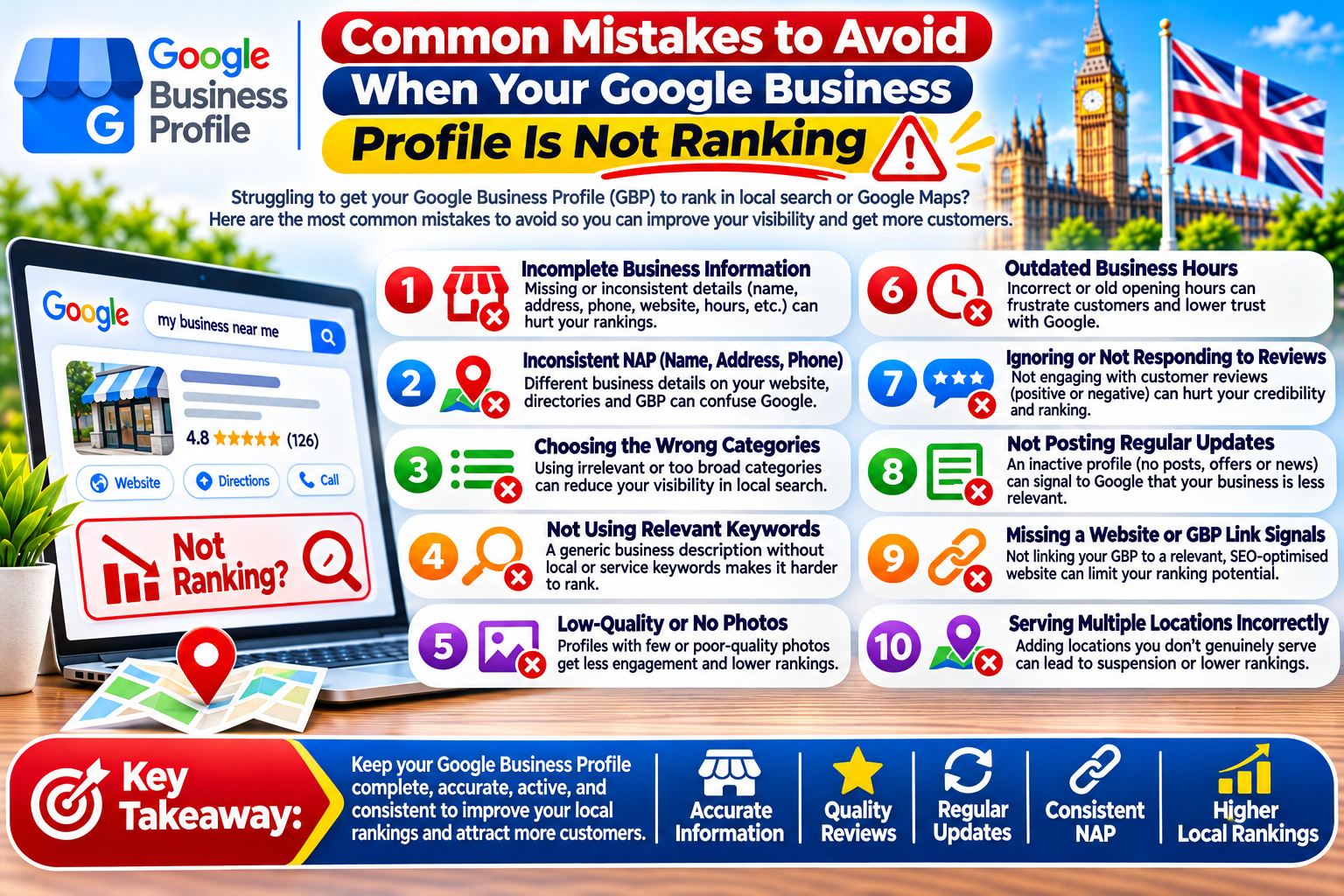
Avoid these common mistakes when troubleshooting your profile:
- Repeatedly changing your business name to include keywords.
- Using an inaccurate or ineligible business address.
- Buying fake reviews.
- Creating duplicate listings.
- Adding irrelevant business categories.
- Publishing low-quality content purely for keywords.
- Building spammy backlinks.
- Expecting immediate ranking improvements.
- Ignoring website technical problems.
- Tracking rankings from only one location.
A consistent, policy-compliant local SEO strategy is more sustainable than shortcuts that may put your profile at risk.
Conclusion
If your Google Business Profile not ranking problem is affecting your business, start by checking verification, profile accuracy, categories, location settings, and policy compliance. Then improve your website’s local SEO, encourage genuine reviews, maintain consistent business information, and track performance over time.
Remember that Google local rankings depend on relevance, distance, and prominence. You can improve the quality and relevance of your profile, but you cannot control every ranking factor or guarantee a top position.
By following these 15 steps, you can identify potential problems, improve your local search presence, and make it easier for customers to discover your business.
Frequently Asked Questions About Google Business Profile Not Ranking
1. Why is my Google Business Profile not ranking on Google?
If your Google Business Profile not ranking issue continues, check your verification status, business category, profile information, website SEO, and local competition. These factors can influence your local search visibility.
2. How can I fix Google Business Profile not ranking problems?
To fix Google Business Profile not ranking problems, complete your profile, choose the correct business category, verify your information, collect genuine reviews, and improve your website’s local SEO.
3. Why is my Google Business Profile not ranking on Google Maps?
Your Google Business Profile not ranking on Google Maps may be related to distance, relevance, prominence, profile eligibility, or competition. Check whether your business information accurately reflects your real location and services.
4. How long does Google Business Profile not ranking take to fix?
The time needed to resolve a Google Business Profile not ranking problem depends on its cause. Simple information corrections may appear relatively quickly, while suspension issues and competitive local SEO improvements can take longer.
5. Can reviews fix Google Business Profile not ranking issues?
Genuine customer reviews can support trust and local prominence when your Google Business Profile is not ranking well. Encourage honest feedback and respond professionally, but never buy reviews or guarantee ranking improvements through reviews alone.
6. Does website SEO matter when Google Business Profile is not ranking?
Yes, website SEO can support local visibility when your Google Business Profile is not ranking. Relevant service pages, accurate contact details, mobile usability, and helpful local content can strengthen your overall local SEO strategy.
7. Can the wrong category cause Google Business Profile not ranking?
Yes, an unsuitable primary category can reduce relevance for important searches. If your Google Business Profile is not ranking for your main services, choose the most accurate category available for your actual business.
8. Why is my Google Business Profile not ranking in my target city?
Your Google Business Profile not ranking in a target city may be caused by distance, local competition, and differences in search relevance. A business generally cannot guarantee top rankings throughout an entire city.
9. Can adding keywords fix Google Business Profile not ranking?
Adding relevant keywords naturally to your website content may help search engines understand your services. However, keyword stuffing or adding extra terms to your real-world business name will not reliably fix Google Business Profile not ranking problems.
10. Does verification help when Google Business Profile is not ranking?
Verification helps establish that you are authorised to manage your profile. If your Google Business Profile is not ranking, check whether verification is complete, but remember that verification alone does not guarantee high rankings.
11. Can photos improve Google Business Profile not ranking?
High-quality photos help customers understand your business and may encourage engagement. If your Google Business Profile is not ranking, add genuine, relevant images as part of a broader optimisation strategy rather than relying on photos alone.
12. Why is my Google Business Profile not ranking after verification?
If your Google Business Profile is not ranking after verification, review your categories, location, services, website, and local competitors. Verification confirms your management access but does not guarantee visibility for every search.
13. Can duplicate listings cause Google Business Profile not ranking issues?
Duplicate listings can create confusion and management problems. If your Google Business Profile is not ranking, check Google Maps for duplicates and follow Google’s official guidance for resolving them.
14. Can backlinks help fix Google Business Profile not ranking?
Relevant, trustworthy backlinks can support your website’s authority and broader local SEO efforts. However, backlinks alone will not automatically fix Google Business Profile not ranking issues or guarantee a particular Maps position.
15. Why is my Google Business Profile not ranking despite having reviews?
Reviews are only one part of local prominence. If your Google Business Profile is not ranking despite positive reviews, investigate distance, category relevance, website quality, business information, and competing profiles.
16. Can a suspended profile cause Google Business Profile not ranking?
Yes, a suspended or restricted profile may lose visibility or disappear from results. If your Google Business Profile is not ranking and you suspect a suspension, review your account notifications and Google’s policies before submitting a reinstatement request.
17. How do I track Google Business Profile not ranking improvements?
To measure progress when your Google Business Profile is not ranking, monitor available profile performance data, calls, website clicks, direction requests, relevant search visibility, and leads over time.
18. Should I change my business address if Google Business Profile is not ranking?
Do not change your address simply to manipulate rankings. If your Google Business Profile is not ranking, make sure your address is accurate and eligible under Google’s guidelines. Service-area businesses should configure their profiles according to their actual operations.
19. Can local SEO services help when Google Business Profile is not ranking?
A local SEO specialist can audit your profile, website, business categories, competitors, and technical issues. If your Google Business Profile is not ranking, choose a provider that offers clear recommendations and realistic expectations rather than guaranteed rankings.
20. What is the best solution when Google Business Profile is not ranking?
The best solution for Google Business Profile not ranking depends on the underlying cause. Start with verification, profile accuracy, categories, and policy compliance, then improve website SEO, earn genuine reviews, and track local performance consistently.
Free SEO audit call
Not getting enough enquiries from Google?
I’m Asad Saimon, a UK-based SEO consultant in Luton with ten years’ experience. Book a free 20-minute call and I’ll show you the three biggest things holding your site back — no charge, no obligation, and you work with me directly, not an account manager.